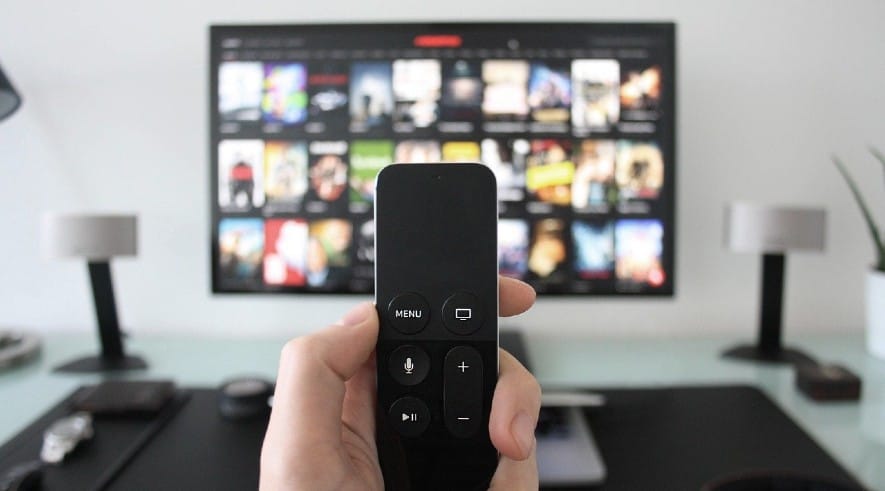
You’re settled in, the show’s about to start, and the remote is just gone. Not on the couch. Not under the cushions. Completely, frustratingly gone.
You know, the good news is that your smartphone can replace it. Entirely.
There are free apps that turn your phone into a fully functional TV remote. No hardware, no purchase, no waiting. In this post, I’m covering the three best ones available right now. One is built for Google TV and Chromecast users, one works entirely over Bluetooth without needing Wi-Fi, and one uses Infrared (IR) to handle almost every TV brand you can think of.
Pick the one that fits. You won’t miss that remote.
Your Phone Can Be a Remote, But Not Always the Same Way
Before you download anything, there’s one thing worth knowing. Not all TV remote apps connect the same way, and picking the wrong one for your setup means it simply won’t work.
There are three connection types in play here.
- Wi-Fi is the most common. The app and your TV talk to each other over your home network. An important thing to note here is that both devices need to be on the same network.
- Bluetooth cuts Wi-Fi out entirely. Useful if your router’s acting up or you’re in a situation where shared Wi-Fi isn’t an option.
- IR (Infrared) mimics the original remote almost exactly. It beams a signal directly at the TV. Works with older, non-smart TVs too. The catch: your phone needs a built-in IR blaster, and most modern smartphones don’t have one anymore.
Know which one your phone and TV support before anything else. It saves a lot of frustration.
3 Best Free Apps to Turn Your Smartphone Into a TV Remote
All three apps below are completely free, actively maintained, and between them cover every major TV brand and connection type. Whether you’re on Android or iPhone, there’s one here that fits your setup.
| App | Best For | Key Strength | Works On | Limitation |
|---|---|---|---|---|
| Google TV App | Android TV / Chromecast users | Auto-connect, voice search, built-in keyboard, casting support | Android & iOS | Requires same Wi-Fi network |
| BT Remote | Offline / no Wi-Fi users | Bluetooth connection, no ads, no setup complexity | Android only | Not available on iOS |
| Lean Universal Remote | Old TVs & multi-device control | Works with Wi-Fi + IR, supports many devices & brands | Android | IR features need IR blaster phone |
1. Google TV App
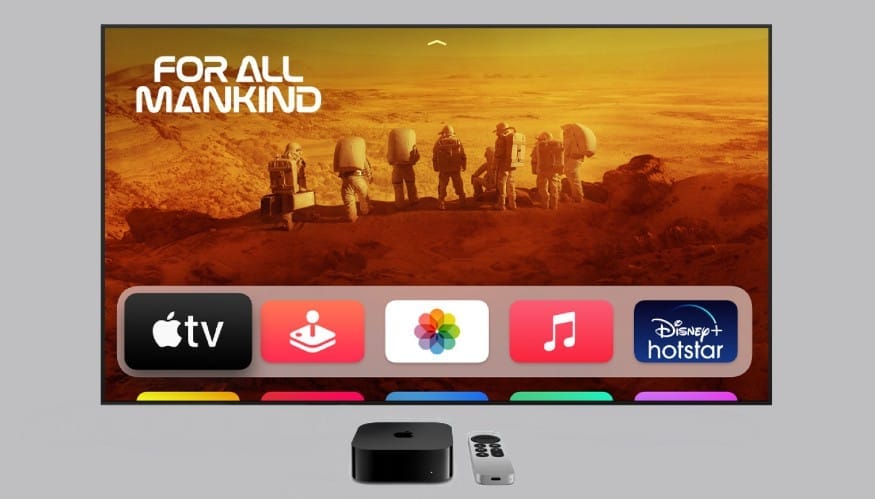
If your TV runs on Google TV, Android TV, or you use a Chromecast device, stop reading right here and just download this one. Seriously. This is the app Google built specifically for this, and it shows.
The Google TV app turns your phone into a full-featured remote over Wi-Fi. As long as your phone and TV are connected to the same network, it finds your device automatically. No pairing codes, no complicated setup. You open the app, it sees your TV, and you’re in.
What you actually get with it:
It has the standard directional pad, back button, home button, is all there. But that’s just the baseline. The real value is in the extras. You get a voice search button that works exactly like the microphone on your physical remote. You get a full keyboard for when you need to type something into a search bar, which anyone who’s ever tried to type a password using a D-pad knows is a lifesaver. You can also browse and manage your watchlist directly inside the app, which makes it feel less like a remote and more like a second screen for your TV.
Casting works too. Find something on your phone and throw it straight to the TV without switching inputs or fumbling through menus.
Where it works:
Google TV, Android TV, and all Chromecast with Google TV devices. If your TV is from Sony, TCL, Hisense, or any brand running Android TV under the hood, this covers you.
The one limitation:
Same Wi-Fi network, always. The moment your phone hops onto a different network or your router acts up, the connection drops. It’s a minor thing in most home setups, but worth knowing if your Wi-Fi situation is complicated.
If you’re already in the Google ecosystem, this isn’t even a contest. It’s the most polished, most reliable option on this list for the audience it’s built for.
2. BT Remote by Atharok
If your Wi-Fi is unreliable, your router has a complicated setup, or you simply don’t want another app tethered to your home network, download this one without overthinking it. It connects over Bluetooth, and that single difference makes it a completely different beast from every other remote app out there.
BT Remote was built by a solo open-source developer with one straightforward philosophy: free means free. No ads interrupting you mid-use, no subscription wall hiding the useful features, no permissions that make you raise an eyebrow. You install it, pair it to your TV, and it just works. The setup requires nothing on the TV side either, no companion app to install, no account to create on either device.
What you actually get with it:
The full remote layout is there — directional pad, back, home, volume. But the real standout is the built-in touchpad and keyboard. Instead of hunting through an on-screen alphabet one letter at a time, you just type normally. Anyone who’s ever tried entering a streaming password using a TV remote understands immediately why this matters. There’s also a notification tray shortcut baked in, so you don’t even need to open the app every time, just pull down from the top of your screen and tap.
Where it works:
Android TV and Google TV devices. Sony, TCL, Hisense, Nvidia Shield, Chromecast with Google TV, if your TV runs either of those platforms underneath, you’re good.
The one limitation:
Android only. There’s no iOS version, so iPhone users will need to look at the other two apps on this list instead.
Download: Android
If you want a remote app that asks nothing from you — no network dependency, no data harvesting, no hidden cost — this is exactly that.
3. Lean Universal Remote
If you’ve got an older TV, a non-smart TV, or a mix of different brands scattered across your home, this is the app built for exactly that situation. While the other two apps on this list work great within their specific ecosystems, Lean Universal Remote casts a much wider net. It’s the one you reach for when nothing else fits.
What makes it different is the dual connection support. It works over Wi-Fi for smart TVs, and over IR for older, non-smart devices, as long as your phone has a built-in IR blaster. That second part matters more than people realize. Most flagship phones from Xiaomi, Poco, and several other Android brands still ship with IR blasters, which means this app can control TVs that have no internet connection, no smart features, and no app compatibility whatsoever. Just point and control, exactly like a physical remote.
What you actually get with it:
It has the standard layout with power, volume, channels, navigation pad, and mute. But the depth goes further. You get macro commands, which let you program a sequence of actions into a single tap. Say you always turn the TV on, switch to HDMI 2, and lower the volume; you can set all of that to fire with one button. There’s also a sleep timer built in, customizable button arrangements so you can reorganize the layout to match how you actually use it, and compatibility with devices beyond just TVs — air conditioners, DVD players, projectors, soundbars, and set-top boxes all fall within its range.
The app has crossed 10 million downloads on Android, which for a utility with no major marketing push says a lot about how reliably it works day to day.
Where it works:
Samsung, LG, Sony, TCL, Hisense, Roku, Vizio, Panasonic, Onkyo, and most other major TV brands. If your TV is on the more obscure side, Lean Remote maintains one of the largest device databases of any free remote app. Chances are your model is in there.
The one limitation:
IR features require a phone with a built-in IR blaster. If your phone doesn’t have one, most iPhones and many modern Android flagships don’t, you’ll still get Wi-Fi control for smart TVs, but the IR functionality won’t be available to you.
Download: Android
If you have multiple TVs, older devices, or just want one app that handles everything regardless of brand, Lean Universal Remote is the most versatile free option on this list.

Any app without wifi????